
Turkish-language CAD for machine design
From part to drawing, in Turkish.
Parametric 3D parts, assemblies, sheet metal, technical drawings and 2D drafting in one program. Menus, messages and commands are in Turkish; decimal comma in dimensions, Turkish characters in file names, ISO title blocks on drawings.
- Interface fully in Turkish
- DXF, STEP, PDF
- Your drawings stay on your computer
In the language and habits of Turkish engineers
ANALİTİK KONSTRÜKTÖR is not written to compete with the big CAD programs. It is written so that machine builders can do their everyday part, assembly, sheet metal and drawing work in Turkish, simply — and it will grow over time. The program's interface is in Turkish.
The program speaks Turkish
Menus, buttons, questions and error messages are Turkish. When a feature cannot be built, the program says why and what to do.
Fits local habits
Decimal comma in dimensions, Turkish characters in part and layer names, a bill of materials that opens directly in Turkish Excel.
Change a dimension, the model follows
All dimensions live in the parameter table and can be linked with equations. When a part changes, the assembly mates are solved again against the new faces.
Your work is not lost
Unsaved work is copied every few seconds and offered back at the next start if the program closes unexpectedly. An interrupted save never damages the old file.
What the program does today
Everything listed here works in the current version. What is not there yet is listed separately under Status.
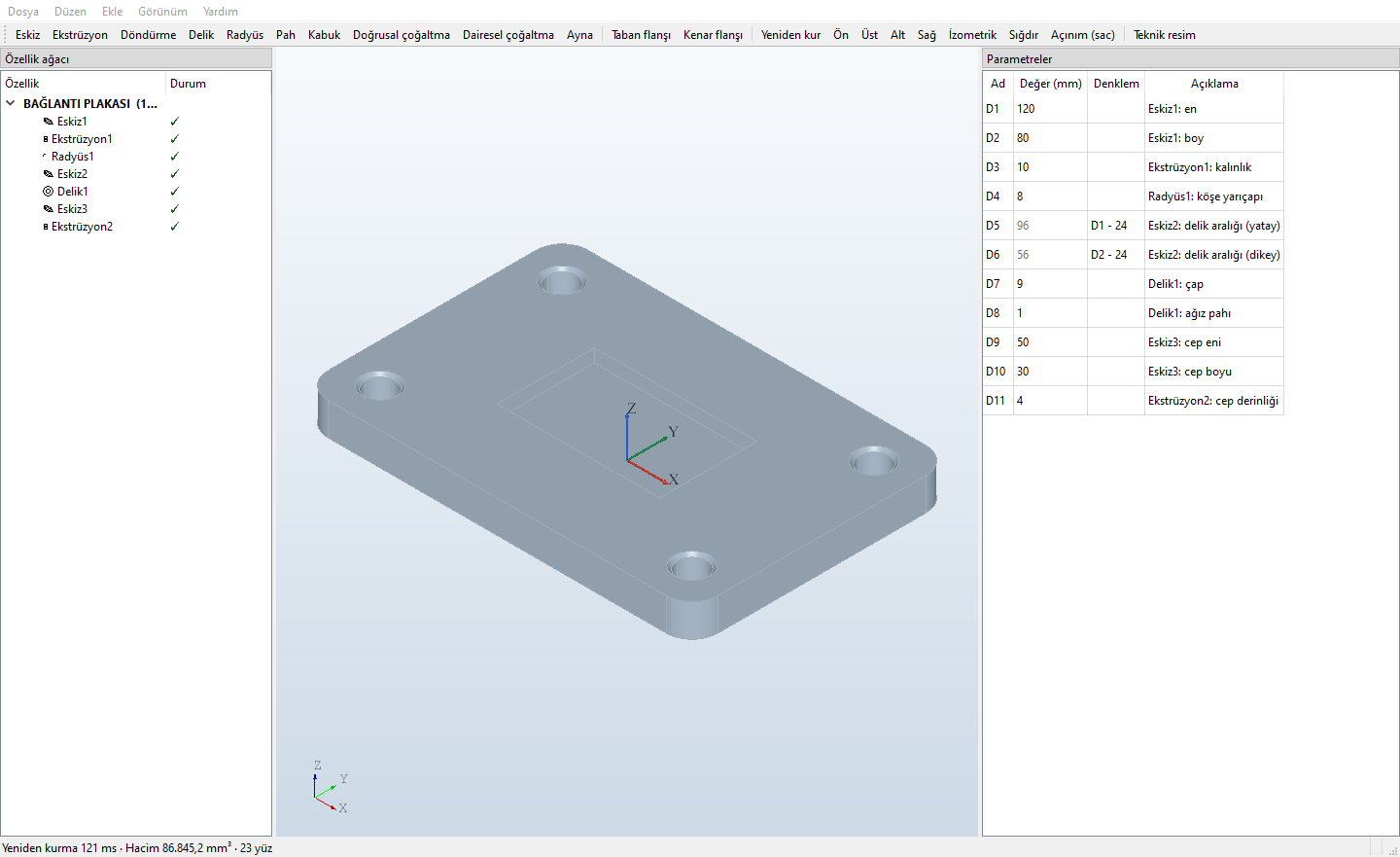
- Feature tree Sketch, extrude (boss / cut), revolve, hole (with countersink chamfer), fillet, chamfer, shell, linear and circular pattern, mirror. Rollback bar, undo / redo.
- Parameters and equations
All dimensions in a table as D1, D2…; change a value and the part rebuilds. The equation column takes expressions such as
D1 - 24. - Constrained sketches Line, rectangle, circle, arc, point, construction line; dimensions and constraints (horizontal, vertical, equal, parallel, perpendicular, tangent, concentric, coincident, midpoint). Black fully defined, blue under-defined, red conflicting.
- Sketch on face Click a planar face to open a sketch on it; when dimensions change, the sketch moves with the face.
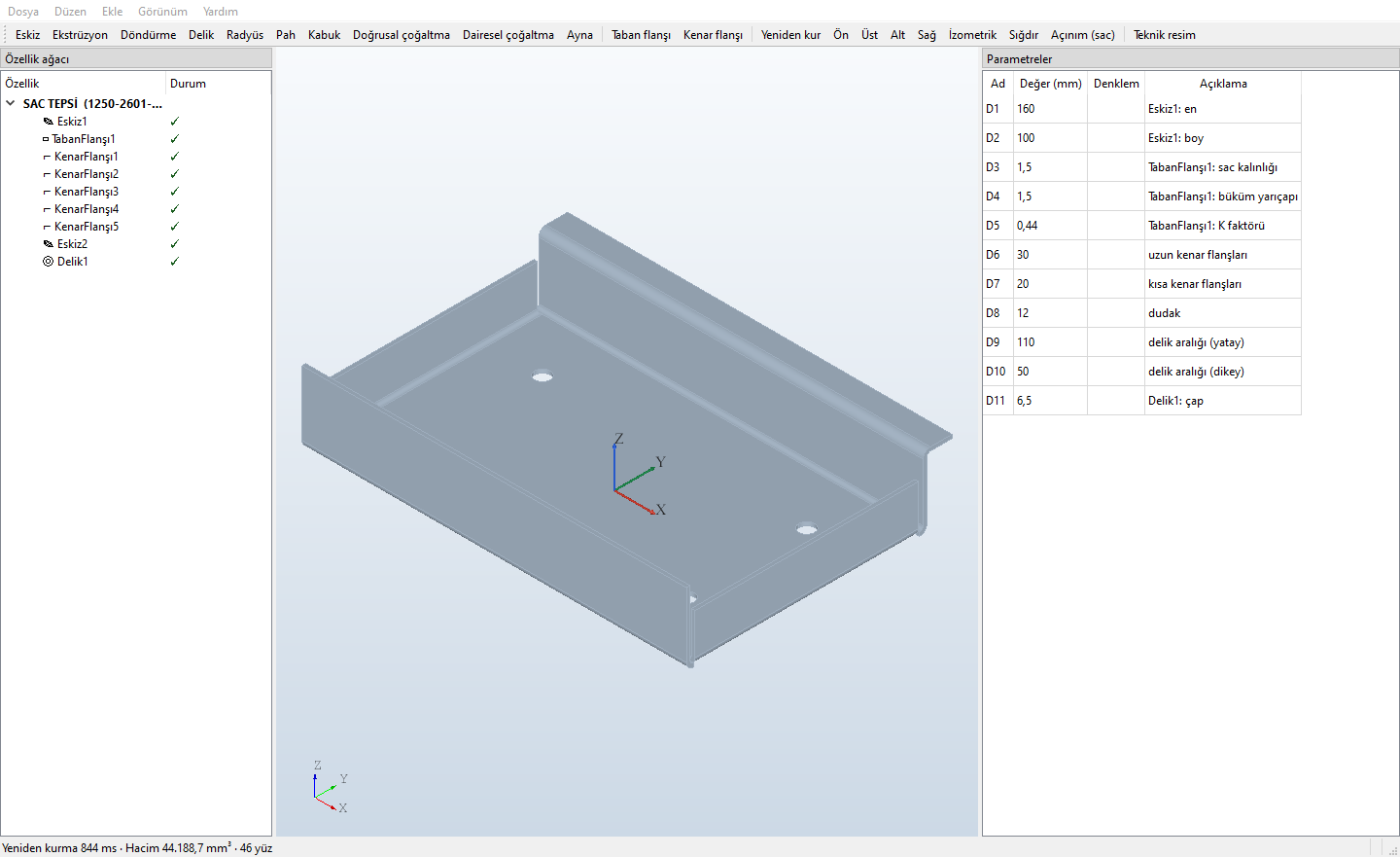
- Base flange and edge flange Thickness, inner bend radius, K-factor. Edge flanges with length, angle, up / down; adjacent flanges are shortened at the corner automatically, with corner relief in the flat pattern.
- Flat pattern Flat state on screen; DXF and PDF output with cut contour, holes, bend lines and bend notes such as “YUKARI 90° R1,5 K0,44”.
- Verified calculation Flat length by closed formula; compared against the bending core of ANALİTİK ASİSTAN's ABKANT module.
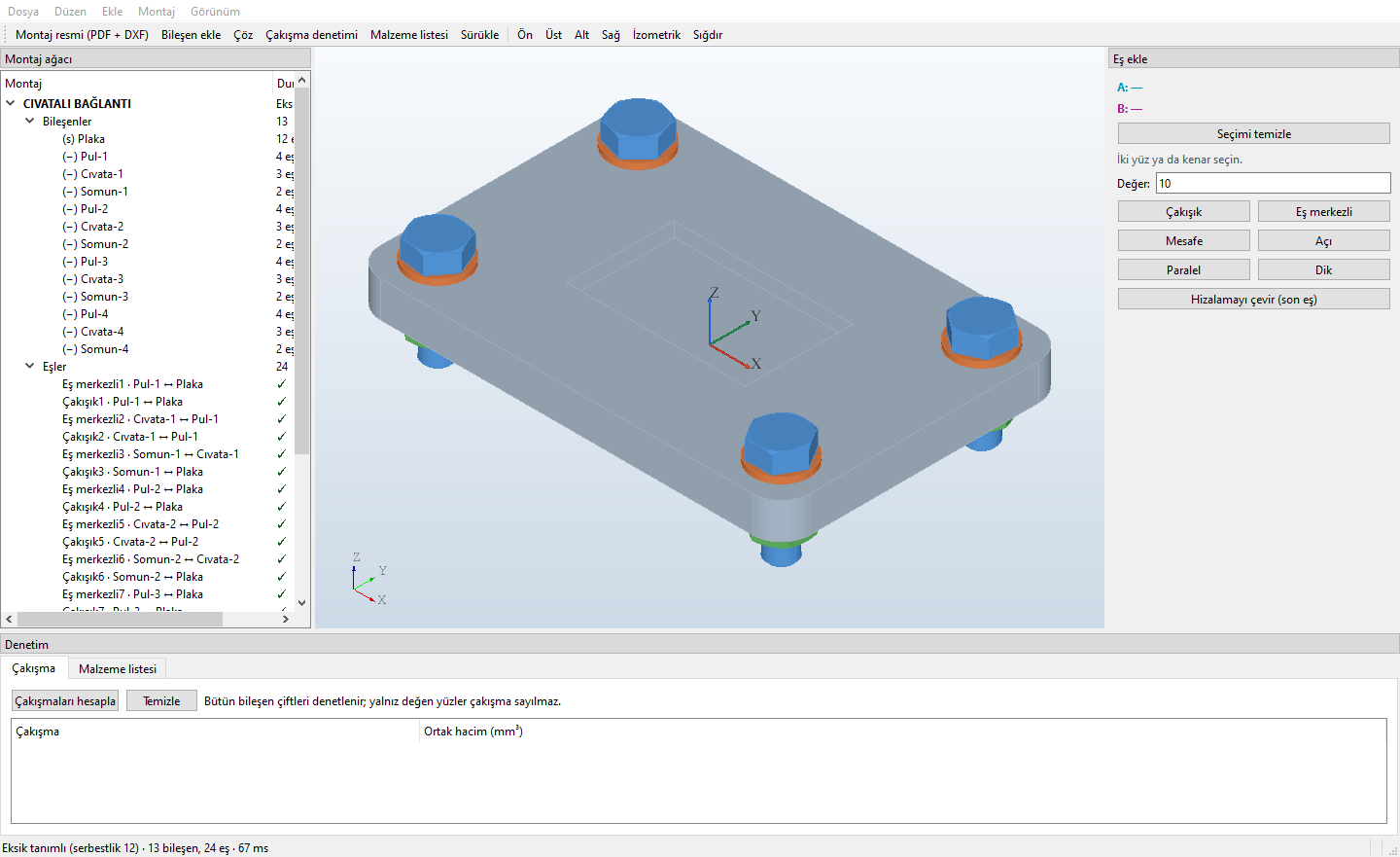
- Components and mates Add part files or STEP. Click two faces to mate: coincident, concentric, distance, angle, parallel, perpendicular. Under-defined components and conflicting mates are marked in the tree; components drag in the directions the mates allow.
- The assembly follows part changes A mate is tied to what the clicked face means in the part (“Ekstrüzyon1 — son yüz”: Extrude1 — end face; “Delik1 ekseni”: Hole1 axis). If that face no longer exists, the mate is marked broken instead of silently staying in the wrong place.
- Interference check and bill of materials All component pairs are checked, shared volume shown in red. The bill of materials lists quantity, code, material and mass; its CSV opens directly in Turkish Excel.
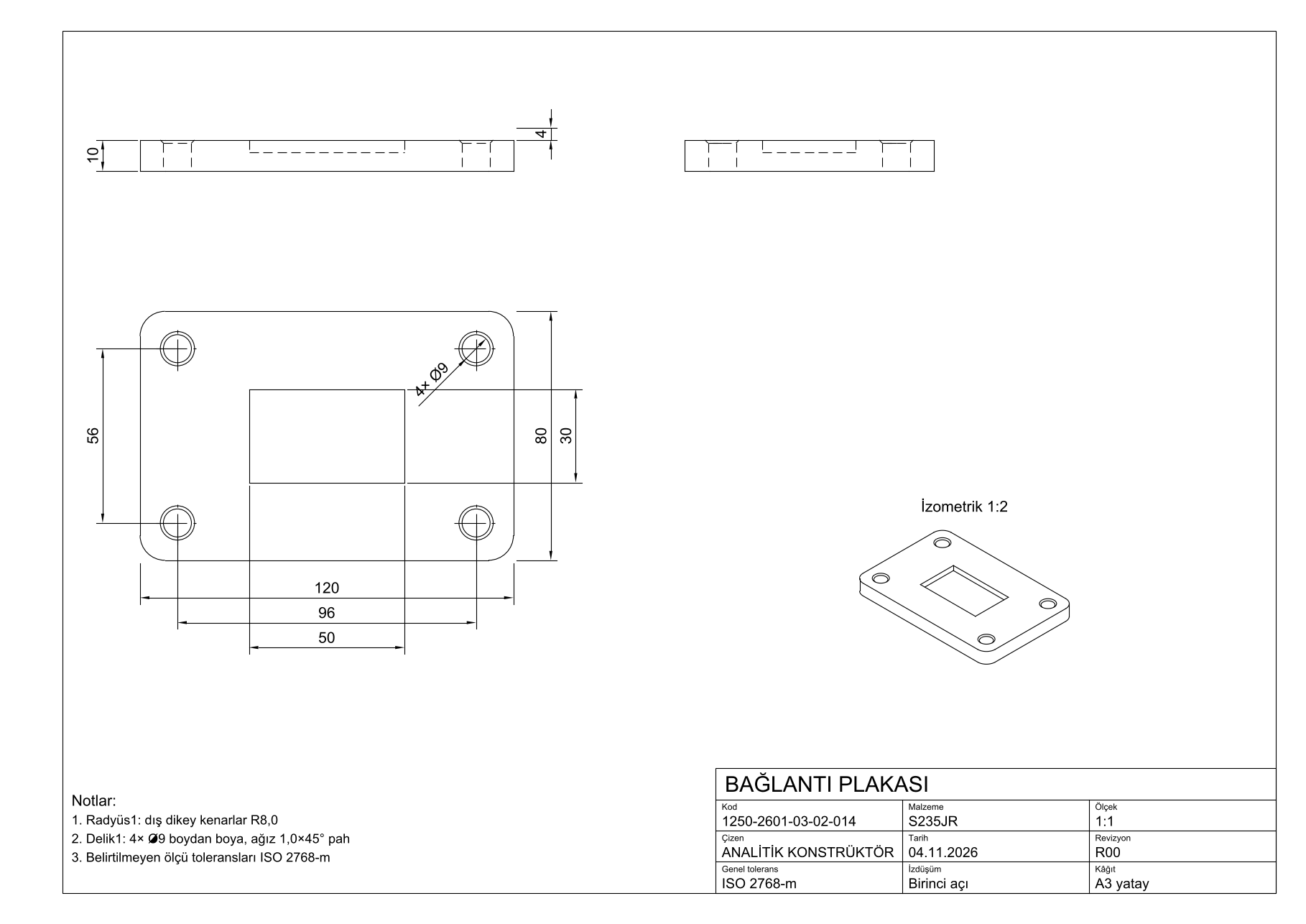
- Part drawing First-angle projection, three views and an isometric; dimensions from the feature tree, notes and a Turkish title block. Scale chosen automatically from the ISO 5455 series.
- Assembly drawing Isometric view with balloons, front view, parts list table (ISO 7573), total mass in the title block.
- Sheets A4 to A0 ISO 5457 frame; on A2, A1 and A0 grid reference letters and numbers, centring and A4 folding marks, revision table. DXF and true-scale PDF.
Screens from the program
Taken with the program's own sample parts. Click an image for the full size. The interface is in Turkish.
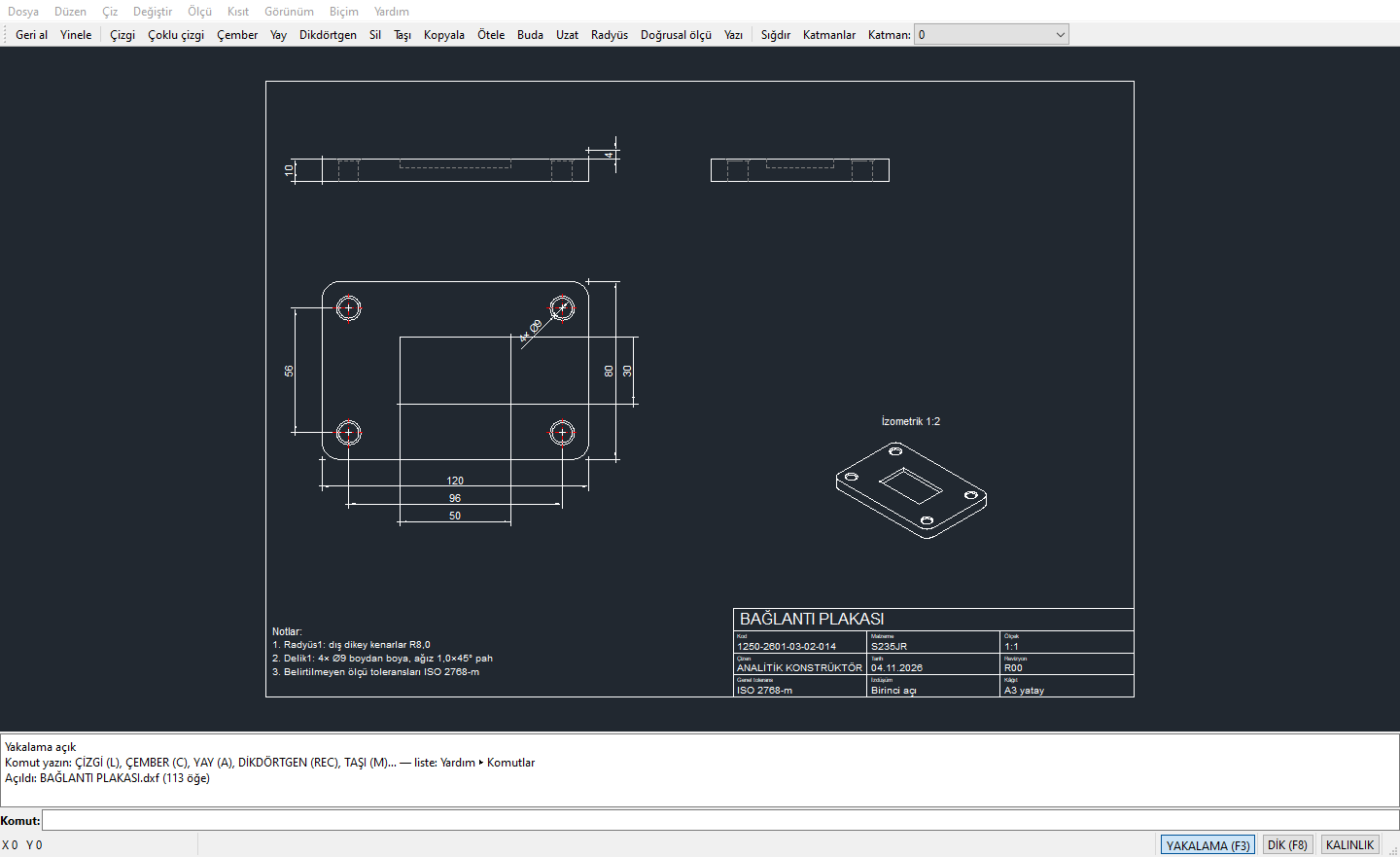
Turkish command line, familiar shortcuts
At start-up the program asks: 2D drawing or 3D model? In 2D the file is DXF itself; anything the program does not understand in an opened file is kept as it is when you save.
Type the command you know
Both the Turkish command name and the AutoCAD shortcut work; upper / lower case and Turkish characters make no difference.
Komut: çizgi
İlk nokta: 0,0
Sonraki nokta [Geri al (G)]: @120,0
Sonraki nokta [Geri al (G)]: @0,80
Sonraki nokta [Geri al (G) / Kapat (K)]: K
Komut: TR
Budanacak parçaya tıklayın (bitirmek için Enter):
- ÇİZGİ L
- ÇEMBER C
- YAY A
- ÇOKLUÇİZGİ PL
- BUDA TR
- UZAT EX
- ÖTELE O
- RADYÜS F
- PAH CHA
- AYNALA MI
- ÇOĞALT AR
- TARAMA H
From drawing to output
- Dimensions and text: linear, aligned, radius, diameter and angular dimensions; decimal comma (12,5), Turkish characters. Text and dimension styles.
- Hatch: click inside an area and the boundary is found; when the boundary changes, the hatch follows.
- Blocks and attributes: create, insert and edit blocks in place; attributes for title blocks and item numbers.
- Constrained drawing: horizontal, vertical, parallel, tangent, symmetric… and dimensional constraints with equations such as
d1 / 2. - Layers and line weights, object snap (end, middle, centre, intersection, perpendicular), ortho mode.
- Print / PDF: A4 … A0, to scale or fitted, ISO frame and title block, each selected frame on its own page, large drawings split into pages. Paper-space layouts with title blocks prepared in AutoCAD print too.
Your drawings open in other programs too
Parts and assemblies are stored in the program's own files; output goes to open formats everyone uses.
| Format | Used for | Note |
|---|---|---|
| .akpr · .akmn | Part · assembly | The program's own files; Turkish names are kept. Assemblies link to their parts by relative path. |
| STEP | Export and import | Parts and assemblies export to STEP; the assembly opened as an assembly in SOLIDWORKS 2022. STEP parts can be added to assemblies as components. |
| DXF | 2D drafting, technical drawings, flat patterns | The native format of 2D drafting. Turkish characters are read and written correctly in older DXF versions too. |
| Drawings, assembly drawings, flat patterns, 2D output | True scale; in 2D output lines are vector and Turkish text is embedded. | |
| CSV | Bill of materials | Semicolon and decimal comma: opens directly in Turkish Excel. |
| DWG | — | Not yet. Save the DWG as DXF and open that. |
With the library and the assistant

ANALİTİK PARÇA
Free 3D models of standard parts such as bolts, nuts and washers. Add the downloaded STEP to an assembly as a component; the bolt, washer and nut in the program's sample assembly come from the library.

ANALİTİK ASİSTAN
The design department's assistant: part coding, product structure, drawings, revisions and bending plans. Working together with KONSTRÜKTÖR is in preparation; in the first test, ASİSTAN's ABKANT module produced the bending plan of a KONSTRÜKTÖR sheet metal part.
Where we are, plainly
The program is in development and not on sale yet. We do not give dates: when something is finished, it appears here.
Working
- Part: feature tree, parameters, constrained sketch, sketch on face
- Sheet metal: base and edge flange, flat pattern
- Assembly: mates, interference, bill of materials
- Part and assembly drawings, A4 … A0
- 2D drafting (DXF), printing and PDF
- Recovery copy, safe save, log
Next
- Installer for the trial version
- Opening DWG
- Sheet metal: closed corners, hems, holes across bends
- Assembly: sub-assemblies, exploded view, section
- Part: sweep, loft, reference plane; sketch fillet, trim and offset
- Working together with ANALİTİK ASİSTAN
Price and licence
- Price and licence terms will be published here with the trial version.
- The trial version will be announced on the download page.
Trial version in preparation
When the installer is ready it can be downloaded here for Windows. Write to us if you would like to try it early or be notified.
Questions
Is the program in English?
No. The interface, messages and commands are in Turkish; the program is written for Turkish engineers. The AutoCAD command shortcuts (L, C, TR, EX…) also work in 2D drafting.
Does it replace the big CAD programs?
The aim is not to compete with them; they have many years of experience behind them. ANALİTİK KONSTRÜKTÖR is written so that machine builders can do their everyday part, assembly, sheet metal and drawing work in Turkish, simply, and it will grow over time. What is not there yet is listed under Status.
Can I open my AutoCAD files?
DXF files open, can be edited and saved; anything the program does not understand stays in the file as it is. Paper-space layouts with title blocks can be printed. DWG does not open yet: save the file as DXF and open that.
Where are my drawings kept?
On your computer. The program does not send your drawings to any server. Its connection with ANALİTİK ASİSTAN stays inside the same computer, over a password-protected channel.
When will the trial be available, and what will it cost?
We do not give dates; the trial version will be announced on the download page when it is ready, together with price and licence terms. To be notified, write to iletisim@analitikkonstruktor.com.